 Chicago
 Track Your Order



 0
0
This is why your USB-C cable isn't charging your device fast enough
From a Bluetooth keyboard and Android phone to headphones, I have multiple devices that charge via USB-C. This also means I have multiple USB-C cables that I use interchangeably to charge all my devices. That's what USB-C, the universal standard, was meant to simplify. Right?

Well… not quite. In practice, the answer is more nuanced than a simple yes or no. The standard promised universality, but it's turned into a confusing ecosystem where not all USB-C ports deliver the same speed, and not all cables perform equally either.
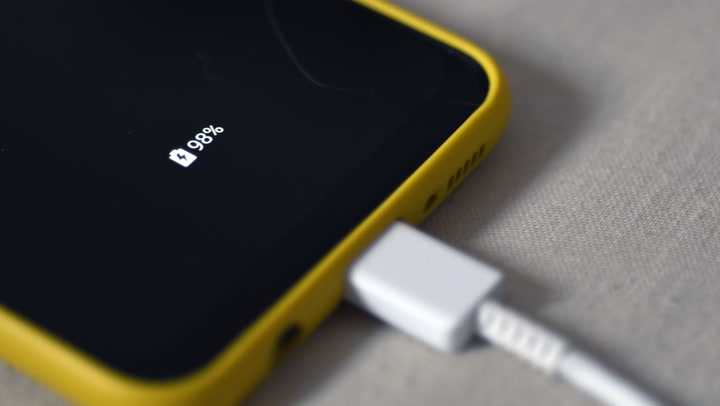
The OEM Type-C cable that came in the box always charges my phone faster than the Type-C cable bundled with my Bluetooth keyboard or the cheap one I bought online. Regardless of your power adapter's rating, not all USB-C cables are made to carry the same amount of power, and that's often why your device charges slowly.
Not all USB-C cables are created equal
The wire connecting your device matters more than you think
Even if your phone supports fast charging (many mainstream Android phones now push 45–100W, while a few models like the Realme GT Neo 5 go all the way to 240W) and you have an equally capable adapter, the cable connecting the two can become the weak link, and often it is.
USB-C cables vary in capability. Most basic cables support up to 3A, which usually translates to up to 60W under USB-Power Delivery (USB-PD). To go beyond that, a cable must support 5A and must include an e-marker chip that identifies its capabilities to your device. With the right certification, 5A e-marked cables can support 100W (USB-PD 3.0) or even up to 240W (USB-PD 3.1 Extended Power Range), but not all 5A cables are rated that high.


 Lifewire
 The Gadget Show
 Apple Explained
Then there's the difference between charging-only cables and full-featured cables. Some can handle high-watt charging but still transfer data at USB 2.0 speeds. Others support fast data transfer but aren't designed for high power delivery. Branding doesn’t make things clearer either, because terms like “fast charge,” “quick charge,” and “turbo charge” can refer to different charging protocols depending on the manufacturer.
Build quality plays a role as well. Thinner internal wires increase electrical resistance, which wastes power as heat and reduces charging efficiency. Some warmth during high-watt fast charging is normal, but noticeably hot cables are a sign of poor quality or insufficient rating.
How to tell if your cable is the problem
Check the specifications or test it yourself
If you already have a drawer full of cables and don't know which is which, a small USB Type-C inline power meter is the easiest way to find out. These inexpensive tools (usually around $10-20) sit between your charger and cable and show the live voltage, current, and wattage.

During testing, one cable I assumed was decent could only deliver 10W to a phone capable of 45W charging. Another cable, which came with a cheap power bank I carry for travel, could only hit 5W. Meanwhile, the original Samsung cable consistently hit 24W, while it's rated for 45W fast charging. A quick test like this can save a lot of troubleshooting effort.
Even without a power meter, you can do a basic comparison test. Try charging your device with different cables using the same charger and see which one charges faster. Pay attention to heat as well—some warmth during high-watt fast charging is normal, but noticeably hot cables are a sign of poor quality or insufficient rating.
The easiest long-term approach is to use the original cable that came with your device. Manufacturers usually include one that supports at least the maximum charging power the device itself is rated for—though there are exceptions, especially with older or budget models where proprietary charging cables were required.


If you need to buy a replacement, go for cables from reputable brands and look for clear labeling. Instead of vague marketing language, look for explicit ratings such as "USB-PD 100W," "USB-PD 240W," "5A e-marked," or "USB 3.2 Gen 2."
What to look for when buying a USB-C cable
Power rating, data speed, length, and durability matter
If you're planning to buy a new USB-C cable, choosing the right USB-C cable comes down to matching specifications to your actual needs.
For fast charging, check the amperage rating first. Cables rated for 3A work fine for devices up to 60W, but if your phone or laptop supports higher wattage, look for a 5A cable with an e-marker chip that supports USB Power Delivery. The packaging should clearly state the maximum wattage the cable can handle—look for explicit ratings like "USB-PD 100W," "USB-PD 240W," or "5A e-marked" rather than vague marketing terms like "fast charge" or "quick charge."
Cable length affects charging speed more than most people realize. Shorter cables (under one meter) have less resistance and deliver power more efficiently. If you need a longer cable for convenience, expect a slight drop in charging performance, especially with high-wattage devices.
Build quality is worth paying attention to. Look for reinforced connectors that won't wobble or lose connection over time. Braided cables tend to last longer than plain rubber ones. Certified cables from reputable brands like Anker, Belkin, or Ambrane are also safer and more consistent in their performance.
If you need a cable for both charging and data transfer, make sure it supports USB 3.0 or higher. USB 2.0 cables charge just fine, but transfer data at frustratingly slow speeds. For moving large files between devices, a USB 3.2 cable makes a noticeable difference.
Not all USB-C cables are equal — so choose wisely
USB-C was meant to standardise charging and data connectivity—and in many ways, it has. But the differences in cable capabilities can significantly impact how fast your device charges. The random cable that came bundled with another low-power device might work for basic charging, but it could also be why your phone takes twice as long to charge or why your laptop won't charge at all.
For consistency, stick with the USB-C cable that came with your device (thankfully manufacturers still include one, even if the charger was removed in the name of “saving the planet”) or buy from reputable brands like Anker, Belkin, or Ambrane that clearly label their specifications.For cables you already own, a cheap power meter and a few minutes of testing will tell you if the cable is the reason your device charges slowly.


